Building Agentic Architectures with RAG Pipelines on AWS
What Makes an Architecture “Agentic”?
Traditional software follows a deterministic path—inputs go in, outputs come out, and the logic in between is fully predefined. Agentic architectures break this mold. An agent can reason over a problem, decide which tools to call, retrieve relevant context dynamically, and loop until it has a satisfying answer.
When you layer Retrieval-Augmented Generation (RAG) into an agentic system, you get something genuinely powerful: an AI that doesn’t just reason, but reasons grounded in your data. It can fetch the latest internal documentation, pull from a knowledge base, and synthesize an answer that a static LLM simply couldn’t produce.
AWS provides a rich, production-grade toolkit for building exactly this. In this post, we’ll walk through a full architecture—from ingestion to inference—using services that are battle-tested at scale.
Understanding the Core Components
Before diving into AWS specifics, let’s align on the building blocks of any agentic RAG system.
The RAG Loop
RAG works by augmenting an LLM prompt with retrieved documents at inference time. Rather than baking all knowledge into model weights (expensive and stale), you maintain a live vector index and query it dynamically. The flow looks like this:
- A user query arrives.
- The query is embedded into a vector.
- Nearest-neighbor search returns relevant document chunks.
- Those chunks are injected into the LLM prompt as context.
- The LLM generates a grounded response.
What “Agentic” Adds
An agent wraps this loop in a reasoning layer. Instead of a single retrieval-then-respond cycle, the agent can:
- Decide whether to retrieve, or answer from its own knowledge.
- Issue multiple retrieval queries for different sub-questions.
- Call external tools—APIs, databases, calculators—between reasoning steps.
- Reflect on its own outputs and self-correct before responding.
This is the ReAct pattern (Reason + Act), and AWS Bedrock Agents implements it natively.
The AWS Architecture
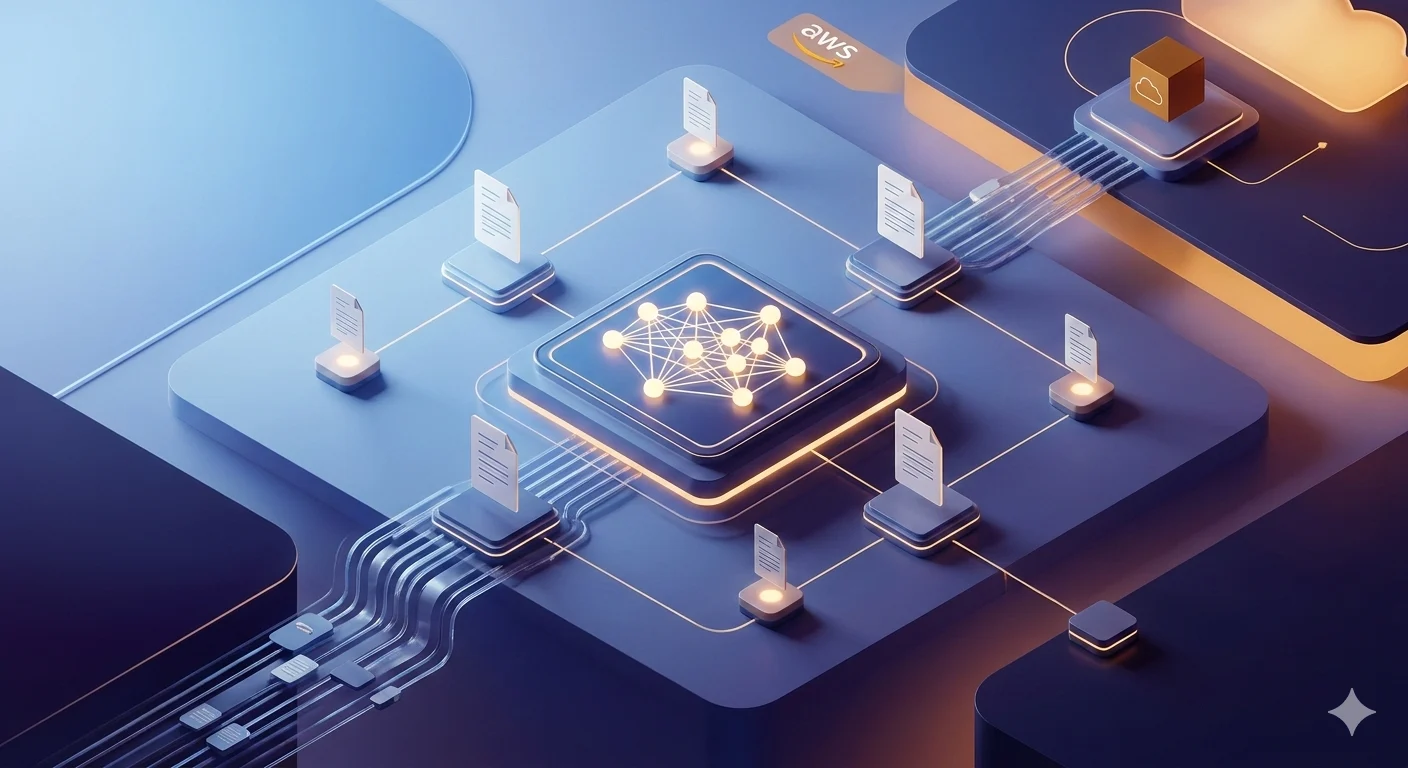
Here’s the full stack we’ll build:
User Request
     │
     ▼
Amazon API Gateway
     │
     ▼
AWS Lambda (Orchestration Layer)
     │
     ├──► Amazon Bedrock Agents
     │         │
     │         ├──► Knowledge Base (Bedrock)
     │         │         │
     │         │         ▼
     │         │    Amazon OpenSearch Serverless
     │         │    (Vector Store)
     │         │
     │         └──► Action Groups (Lambda Tools)
     │                   │
     │                   ├──► Amazon RDS / DynamoDB
     │                   └──► External APIs
     │
     ▼
Amazon S3 (Document Ingestion Source)
     │
     ▼
Bedrock Data Ingestion Pipeline
(Chunking → Embedding → Index)
Let’s build each layer.
Layer 1: Document Ingestion with Amazon S3 and Bedrock
Every RAG system starts with data. Documents live in S3, and Bedrock’s managed ingestion pipeline handles chunking, embedding, and indexing automatically.
Setting Up the S3 Bucket
aws s3 mb s3://my-rag-knowledge-base --region us-east-1Organize your documents with a clear prefix structure:
s3://my-rag-knowledge-base/
  ├── internal-docs/
  ├── product-manuals/
  └── support-articles/
Creating a Bedrock Knowledge Base
Bedrock Knowledge Bases handle the entire ingestion pipeline—you point it at S3 and it does the rest.
import boto3

bedrock_agent = boto3.client('bedrock-agent', region_name='us-east-1')

response = bedrock_agent.create_knowledge_base(
    name='my-product-knowledge-base',
    description='Internal docs and product manuals for RAG',
    roleArn='arn:aws:iam::123456789012:role/BedrockKBRole',
    knowledgeBaseConfiguration={
        'type': 'VECTOR',
        'vectorKnowledgeBaseConfiguration': {
            'embeddingModelArn': 'arn:aws:bedrock:us-east-1::foundation-model/amazon.titan-embed-text-v2:0'
        }
    },
    storageConfiguration={
        'type': 'OPENSEARCH_SERVERLESS',
        'opensearchServerlessConfiguration': {
            'collectionArn': 'arn:aws:aoss:us-east-1:123456789012:collection/my-kb-collection',
            'vectorIndexName': 'my-kb-index',
            'fieldMapping': {
                'vectorField': 'embedding',
                'textField': 'content',
                'metadataField': 'metadata'
            }
        }
    }
)

knowledge_base_id = response['knowledgeBase']['knowledgeBaseId']
print(f"Knowledge Base ID: {knowledge_base_id}")
Adding the S3 Data Source
response = bedrock_agent.create_data_source(
    knowledgeBaseId=knowledge_base_id,
    name='s3-docs-source',
    dataSourceConfiguration={
        'type': 'S3',
        's3Configuration': {
            'bucketArn': 'arn:aws:s3:::my-rag-knowledge-base',
            'inclusionPrefixes': ['internal-docs/', 'product-manuals/']
        }
    },
    vectorIngestionConfiguration={
        'chunkingConfiguration': {
            'chunkingStrategy': 'SEMANTIC',
            'semanticChunkingConfiguration': {
                'maxTokens': 300,
                'bufferSize': 1,
                'breakpointPercentileThreshold': 95
            }
        }
    }
)
Chunking strategy matters. Semantic chunking (available in Bedrock) splits documents at natural conceptual boundaries rather than fixed token counts. This dramatically improves retrieval precision—especially for technical documentation with varied section lengths.
Layer 2: Vector Store with Amazon OpenSearch Serverless
Bedrock Knowledge Bases integrate natively with Amazon OpenSearch Serverless (AOSS) for vector storage and k-NN search. Serverless means you don’t manage capacity—AOSS scales to zero when idle and up on demand.
Creating the AOSS Collection
aoss_client = boto3.client('opensearchserverless', region_name='us-east-1')

# Create encryption policy
aoss_client.create_security_policy(
    name='kb-encryption-policy',
    type='encryption',
    policy=json.dumps({
        "Rules": [{"Resource": ["collection/my-kb-collection"], "ResourceType": "collection"}],
        "AWSOwnedKey": True
    })
)

# Create network policy
aoss_client.create_security_policy(
    name='kb-network-policy',
    type='network',
    policy=json.dumps([{
        "Rules": [{"Resource": ["collection/my-kb-collection"], "ResourceType": "collection"}],
        "AllowFromPublic": False,
        "SourceVPCEs": ["vpce-xxxxxxxxxxxxxxxxx"]
    }])
)

# Create the collection
response = aoss_client.create_collection(
    name='my-kb-collection',
    type='VECTORSEARCH',
    description='Vector store for RAG knowledge base'
)

collection_arn = response['createCollectionDetail']['arn']
Creating the Vector Index
Once the collection is active, create the index that Bedrock will write to:
from opensearchpy import OpenSearch, RequestsHttpConnection
from requests_aws4auth import AWS4Auth
import boto3

credentials = boto3.Session().get_credentials()
awsauth = AWS4Auth(
    credentials.access_key,
    credentials.secret_key,
    'us-east-1',
    'aoss',
    session_token=credentials.token
)

client = OpenSearch(
    hosts=[{'host': 'your-collection-id.us-east-1.aoss.amazonaws.com', 'port': 443}],
    http_auth=awsauth,
    use_ssl=True,
    connection_class=RequestsHttpConnection
)

index_body = {
    "settings": {
        "index.knn": True
    },
    "mappings": {
        "properties": {
            "embedding": {
                "type": "knn_vector",
                "dimension": 1024,  # Titan Embed v2 dimension
                "method": {
                    "name": "hnsw",
                    "space_type": "cosine",
                    "engine": "faiss"
                }
            },
            "content": {"type": "text"},
            "metadata": {"type": "object"}
        }
    }
}

client.indices.create(index='my-kb-index', body=index_body)
HNSW with FAISS gives you excellent retrieval latency at scale. For most knowledge bases under 10 million vectors, this configuration hits sub-10ms p99 query latency.
Layer 3: The Bedrock Agent
This is where the agentic magic happens. A Bedrock Agent wraps a foundation model with:
- Instructions — the system prompt defining the agent’s persona and behavior.
- Knowledge Bases — attached RAG sources the agent can query.
- Action Groups — Lambda functions the agent can invoke as tools.
Creating the Agent
response = bedrock_agent.create_agent(
    agentName='product-support-agent',
    agentResourceRoleArn='arn:aws:iam::123456789012:role/BedrockAgentRole',
    foundationModel='anthropic.claude-3-5-sonnet-20241022-v2:0',
    description='Agentic support assistant with RAG over product documentation',
    instruction="""You are a knowledgeable product support agent for Acme Corp.

Your responsibilities:
- Answer questions using the product documentation knowledge base.
- Look up order status and account details when requested.
- Escalate unresolved issues by creating support tickets.
- Always cite the document source when referencing documentation.

If you cannot find a reliable answer, say so clearly rather than guessing.
Respond in a professional, concise tone.""",
    idleSessionTTLInSeconds=1800
)

agent_id = response['agent']['agentId']
Attaching the Knowledge Base
bedrock_agent.associate_agent_knowledge_base(
    agentId=agent_id,
    agentVersion='DRAFT',
    knowledgeBaseId=knowledge_base_id,
    description='Product documentation and internal guides',
    knowledgeBaseState='ENABLED'
)
Layer 4: Action Groups (Tools)
Action Groups let the agent invoke Lambda functions—turning your agent from a Q&A bot into a system that can do things. You define the tool interface using an OpenAPI schema, and Bedrock handles routing.
Example: Order Status Tool
Lambda Function:
import json
import boto3

dynamodb = boto3.resource('dynamodb')
orders_table = dynamodb.Table('Orders')

def lambda_handler(event, context):
    action = event.get('actionGroup')
    api_path = event.get('apiPath')
    parameters = event.get('parameters', [])

    if api_path == '/order/status':
        order_id = next(p['value'] for p in parameters if p['name'] == 'orderId')

        response = orders_table.get_item(Key={'orderId': order_id})
        item = response.get('Item')

        if not item:
            body = {"error": f"Order {order_id} not found"}
            status_code = 404
        else:
            body = {
                "orderId": item['orderId'],
                "status": item['status'],
                "estimatedDelivery": item.get('estimatedDelivery', 'Unknown'),
                "trackingNumber": item.get('trackingNumber')
            }
            status_code = 200

        return {
            "messageVersion": "1.0",
            "response": {
                "actionGroup": action,
                "apiPath": api_path,
                "httpMethod": "GET",
                "httpStatusCode": status_code,
                "responseBody": {
                    "application/json": {
                        "body": json.dumps(body)
                    }
                }
            }
        }
OpenAPI Schema for the Action Group:
openapi: 3.0.0
info:
  title: Order Management API
  version: 1.0.0
paths:
  /order/status:
    get:
      summary: Get order status
      description: Retrieves the current status and tracking information for an order
      operationId: getOrderStatus
      parameters:
        - name: orderId
          in: query
          required: true
          schema:
            type: string
          description: The unique identifier of the order
      responses:
        '200':
          description: Order status retrieved successfully
          content:
            application/json:
              schema:
                type: object
                properties:
                  orderId:
                    type: string
                  status:
                    type: string
                  estimatedDelivery:
                    type: string
                  trackingNumber:
                    type: string
Attaching the Action Group
bedrock_agent.create_agent_action_group(
    agentId=agent_id,
    agentVersion='DRAFT',
    actionGroupName='OrderManagement',
    description='Tools for looking up order status and account information',
    actionGroupExecutor={
        'lambda': 'arn:aws:lambda:us-east-1:123456789012:function:order-status-tool'
    },
    apiSchema={
        'payload': open('order-api-schema.yaml').read()
    }
)
Layer 5: Orchestration with Lambda and API Gateway
Expose the agent through a clean API with session management for multi-turn conversations.
Orchestration Lambda
import boto3
import json
import uuid

bedrock_runtime = boto3.client('bedrock-agent-runtime', region_name='us-east-1')

AGENT_ID = 'your-agent-id'
AGENT_ALIAS_ID = 'TSTALIASID'  # Use your published alias in production

def lambda_handler(event, context):
    body = json.loads(event.get('body', '{}'))

    user_message = body.get('message')
    session_id = body.get('sessionId', str(uuid.uuid4()))

    if not user_message:
        return {
            'statusCode': 400,
            'body': json.dumps({'error': 'message is required'})
        }

    # Invoke the Bedrock Agent
    response = bedrock_runtime.invoke_agent(
        agentId=AGENT_ID,
        agentAliasId=AGENT_ALIAS_ID,
        sessionId=session_id,
        inputText=user_message,
        enableTrace=True  # Captures ReAct reasoning trace
    )

    # Stream and assemble the response
    completion = ""
    citations = []
    trace_events = []

    for event in response.get('completion', []):
        if 'chunk' in event:
            chunk = event['chunk']
            completion += chunk['bytes'].decode('utf-8')

            # Extract citations from knowledge base retrievals
            if 'attribution' in chunk:
                for citation in chunk['attribution'].get('citations', []):
                    for ref in citation.get('retrievedReferences', []):
                        citations.append({
                            'content': ref['content']['text'][:200],
                            'source': ref['location']['s3Location']['uri']
                        })

        if 'trace' in event:
            trace_events.append(event['trace'])

    return {
        'statusCode': 200,
        'headers': {
            'Content-Type': 'application/json',
            'Access-Control-Allow-Origin': '*'
        },
        'body': json.dumps({
            'response': completion,
            'sessionId': session_id,
            'citations': citations,
            'traceCount': len(trace_events)
        })
    }
API Gateway Configuration
Deploy a REST API with the following setup:
- POST /chat → Orchestration Lambda
- Authorization: Amazon Cognito User Pools or API key
- Stage variables: Point to dev/prod Lambda aliases
- Throttling: Set per-method limits to control LLM costs
Advanced Patterns
Hybrid Search: Dense + Sparse Retrieval
Pure vector search misses exact keyword matches. Hybrid search combines k-NN (semantic) with BM25 (lexical) for significantly better recall on technical terms, product names, and IDs.
OpenSearch Serverless supports hybrid search natively:
query = {
    "size": 5,
    "query": {
        "hybrid": {
            "queries": [
                {
                    "match": {
                        "content": {
                            "query": user_query,
                            "boost": 0.3
                        }
                    }
                },
                {
                    "knn": {
                        "embedding": {
                            "vector": query_embedding,
                            "k": 10,
                            "boost": 0.7
                        }
                    }
                }
            ]
        }
    }
}
Tune the boost values based on your content type. Technical documentation with precise terminology typically benefits from a higher BM25 weight.
Metadata Filtering
Add structured metadata to your documents at ingestion time and filter retrievals to specific subsets. This is critical for multi-tenant systems or date-sensitive knowledge bases.
# During ingestion, add metadata
document = {
    "content": "Your document text here...",
    "metadata": {
        "product": "widget-pro",
        "version": "3.2",
        "category": "installation",
        "lastUpdated": "2026-01-15"
    }
}

# At retrieval time, apply filters
retrieval_config = {
    "vectorSearchConfiguration": {
        "numberOfResults": 5,
        "filter": {
            "andAll": [
                {"equals": {"key": "product", "value": "widget-pro"}},
                {"equals": {"key": "version", "value": "3.2"}}
            ]
        }
    }
}
Guardrails with Amazon Bedrock Guardrails
Production agents need safety controls. Bedrock Guardrails lets you define content filters, PII redaction, and topic denylists that apply before and after LLM inference.
guardrail_response = bedrock_client.create_guardrail(
    name='production-agent-guardrails',
    contentPolicyConfig={
        'filtersConfig': [
            {'type': 'HATE', 'inputStrength': 'HIGH', 'outputStrength': 'HIGH'},
            {'type': 'VIOLENCE', 'inputStrength': 'MEDIUM', 'outputStrength': 'HIGH'},
        ]
    },
    sensitiveInformationPolicyConfig={
        'piiEntitiesConfig': [
            {'type': 'EMAIL', 'action': 'ANONYMIZE'},
            {'type': 'CREDIT_DEBIT_CARD_NUMBER', 'action': 'BLOCK'},
        ]
    },
    topicPolicyConfig={
        'topicsConfig': [
            {
                'name': 'CompetitorComparisons',
                'definition': 'Questions asking to compare our products with competitors',
                'examples': ['Is your product better than Competitor X?'],
                'type': 'DENY'
            }
        ]
    }
)
Observability and Cost Management
Tracing Agent Reasoning
Enable trace capture on every invoke_agent call. The trace exposes the full ReAct loop—every retrieval query, tool call, and intermediate reasoning step:
# Parse trace events for observability
for trace_event in trace_events:
    trace = trace_event.get('trace', {})

    if 'orchestrationTrace' in trace:
        orch = trace['orchestrationTrace']

        if 'rationale' in orch:
            print(f"Agent reasoning: {orch['rationale']['text']}")

        if 'invocationInput' in orch:
            inv = orch['invocationInput']
            if inv['invocationType'] == 'KNOWLEDGE_BASE':
                print(f"KB Query: {inv['knowledgeBaseLookupInput']['text']}")
            elif inv['invocationType'] == 'ACTION_GROUP':
                print(f"Tool called: {inv['actionGroupInvocationInput']['actionGroupName']}")
Ship these traces to CloudWatch and build dashboards around retrieval hit rates, tool invocation frequency, and latency per reasoning step.
Cost Controls
LLM tokens are the dominant cost in agentic RAG. A few levers to manage this:
- Limit reasoning steps: Set
maximumLengthon agent responses and cap the number of orchestration steps. - Cache common retrievals: Use ElastiCache to cache OpenSearch results for frequent queries.
- Model routing: Use Claude Haiku for classification/routing steps and Sonnet only for final synthesis.
- Monitor with Cost Explorer: Tag all Bedrock API calls with project and environment tags for granular attribution.
Deploying to Production
Infrastructure as Code with CDK
import * as cdk from 'aws-cdk-lib';
import * as bedrock from '@cdklabs/generative-ai-cdk-constructs/bedrock';

const app = new cdk.App();
const stack = new cdk.Stack(app, 'AgenticRagStack');

// Knowledge Base
const kb = new bedrock.KnowledgeBase(stack, 'ProductKB', {
  embeddingsModel: bedrock.BedrockFoundationModel.TITAN_EMBED_TEXT_V2_1024,
  instruction: 'Use this knowledge base to answer questions about our products.'
});

// S3 Data Source
const bucket = new s3.Bucket(stack, 'DocsBucket');
new bedrock.S3DataSource(stack, 'DocsSource', {
  bucket,
  knowledgeBase: kb,
  dataSourceName: 'product-docs',
  chunkingStrategy: bedrock.ChunkingStrategy.SEMANTIC
});

// Agent
const agent = new bedrock.Agent(stack, 'SupportAgent', {
  foundationModel: bedrock.BedrockFoundationModel.ANTHROPIC_CLAUDE_SONNET_V1_0,
  instruction: 'You are a helpful product support agent...',
  knowledgeBases: [kb]
});
Blue/Green Agent Deployments
Use Bedrock Agent Aliases to manage versions. Create a new agent version after each update, then shift traffic to it via alias update—zero downtime, instant rollback:
# Create new version
new_version = bedrock_agent.create_agent_version(agentId=agent_id)

# Update alias to point to new version
bedrock_agent.update_agent_alias(
    agentId=agent_id,
    agentAliasId=production_alias_id,
    agentAliasName='production',
    routingConfiguration=[{
        'agentVersion': new_version['agentVersion']['agentVersion'],
        'provisionedThroughput': None
    }]
)
What to Expect in Production
A well-tuned agentic RAG system on AWS delivers measurable improvements across several dimensions. Retrieval precision improves significantly over keyword search—semantic chunking and hybrid retrieval consistently outperform naive approaches. Response latency for single-hop questions typically lands between 2–4 seconds end-to-end, including retrieval and generation. Multi-hop questions requiring multiple tool calls add roughly 1–2 seconds per additional step.
The architecture scales horizontally without intervention. AOSS handles traffic spikes automatically, Lambda concurrency absorbs burst load, and Bedrock’s managed infrastructure removes the need for GPU fleet management entirely.
Conclusion: Building for the Long Run
Agentic RAG on AWS is not a single component—it’s a system of well-orchestrated services, each doing what it does best. S3 for durable document storage, OpenSearch Serverless for fast vector retrieval, Bedrock for managed LLM orchestration, and Lambda for extensible tool execution.
The architecture described here is production-ready today. Start with a single knowledge base and one or two action groups, measure how your users interact with the agent, and expand from there. The ReAct reasoning loop means the agent grows more capable as you add tools—each new Action Group multiplies the surface area of problems it can solve.
The shift from static chatbots to agentic systems is already underway. Building your RAG pipeline on AWS gives you the scalability, security, and managed infrastructure to move fast—without building from scratch.
Your agentic architecture starts with a single document in S3. The rest follows from there. 🚀